How to Access EltonBP Photography Course

Check My Site on ScamAdviser.com

Open eltonbrownephotography.com in another window

“Making products speak customers”
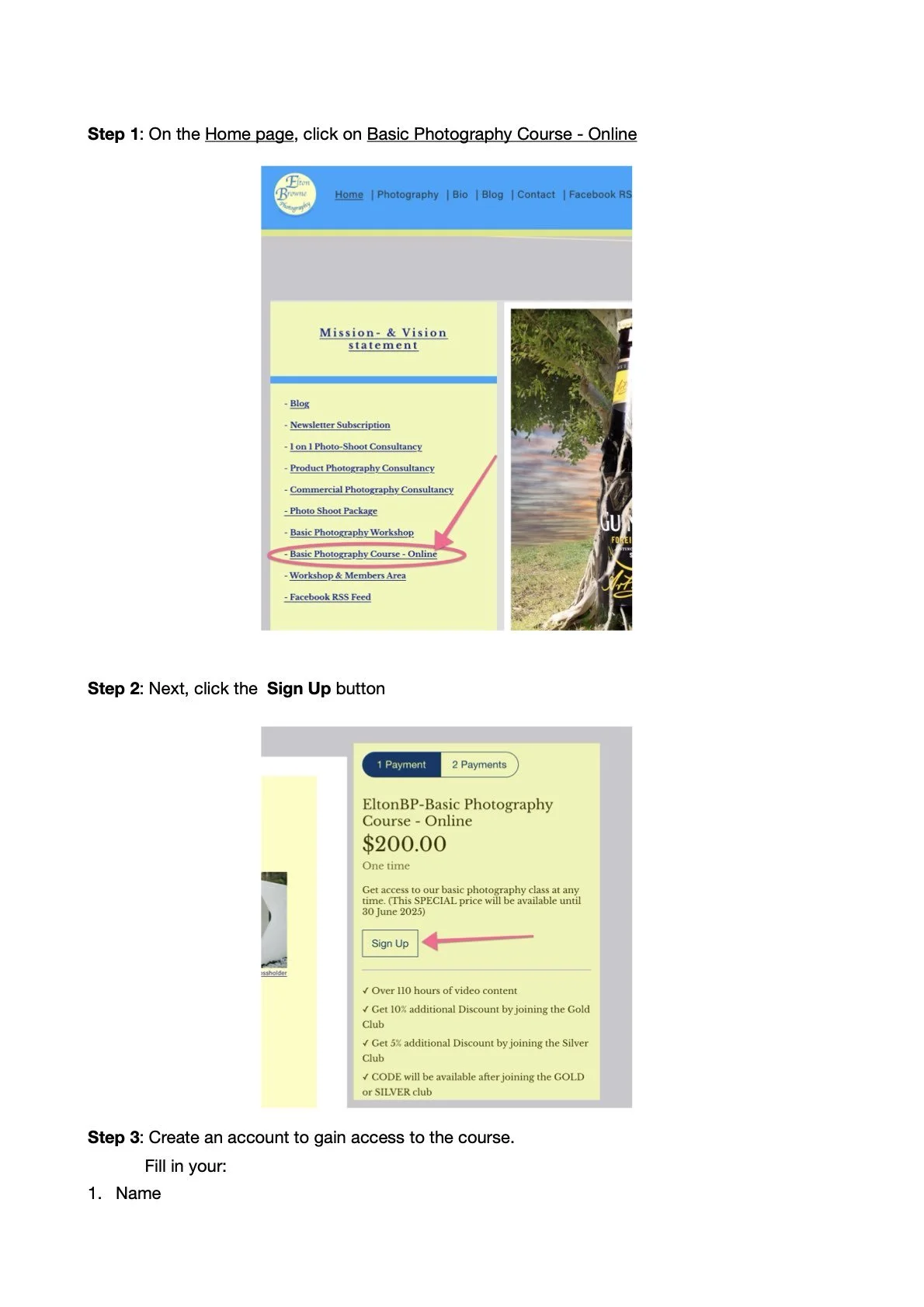
A two-step instructional guide showing how to sign up for an online photography course. Step 1 involves clicking 'Basic Photography Course - Online' on the homepage. Step 2 involves clicking the 'Sign Up' button for the course, priced at $200. Text explains benefits such as video content and discounts.
Menu listing photography services including commercial photography, project consultation, photography courses with an arrow pointing to "Basic Photography Course Overview," photography workshops, and photo shoot packages.
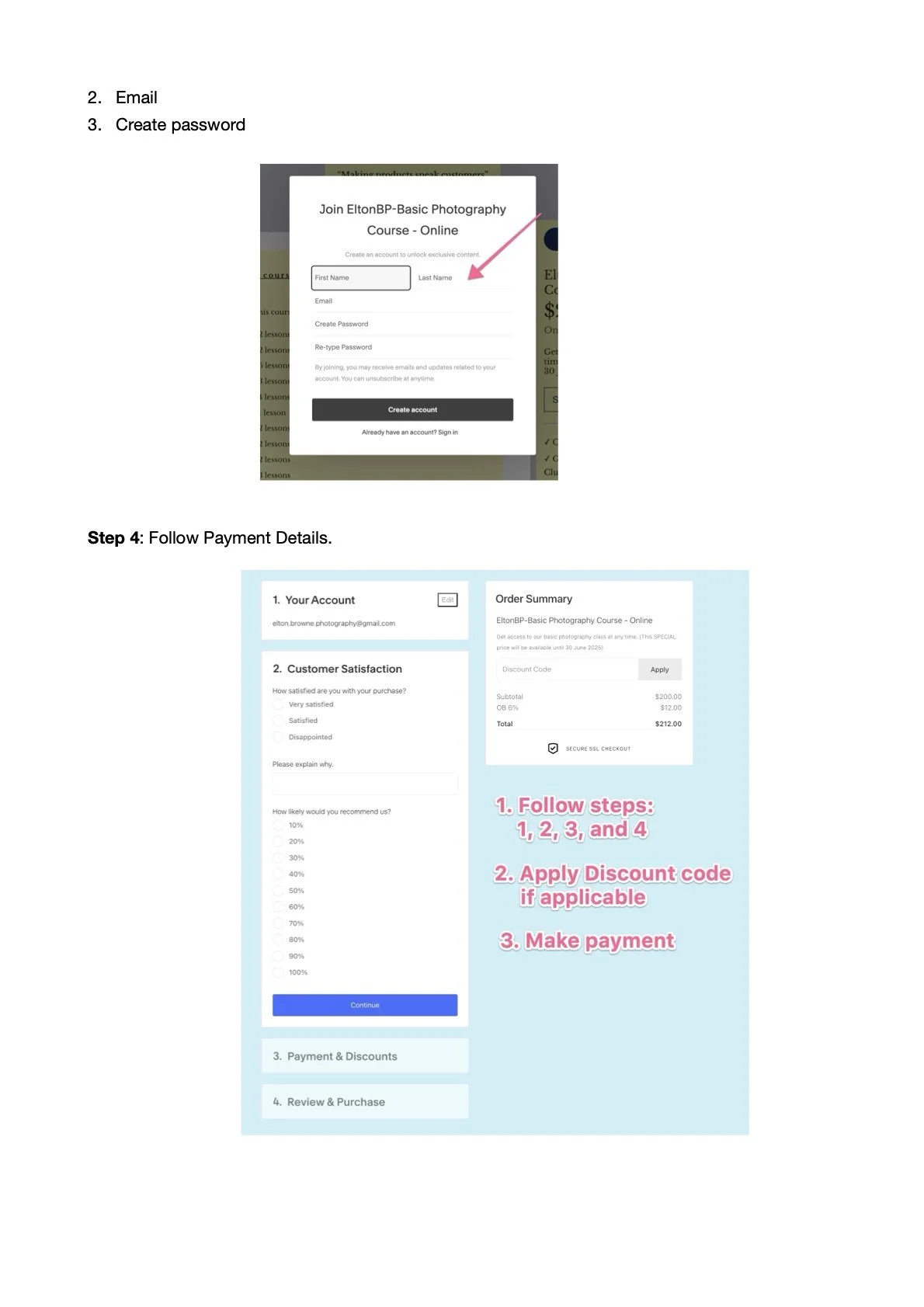
Instructions for creating an account and making a purchase for the EltonBP Basic Photography Course, showing steps for entering personal information and payment details, alongside a section for customer satisfaction feedback.
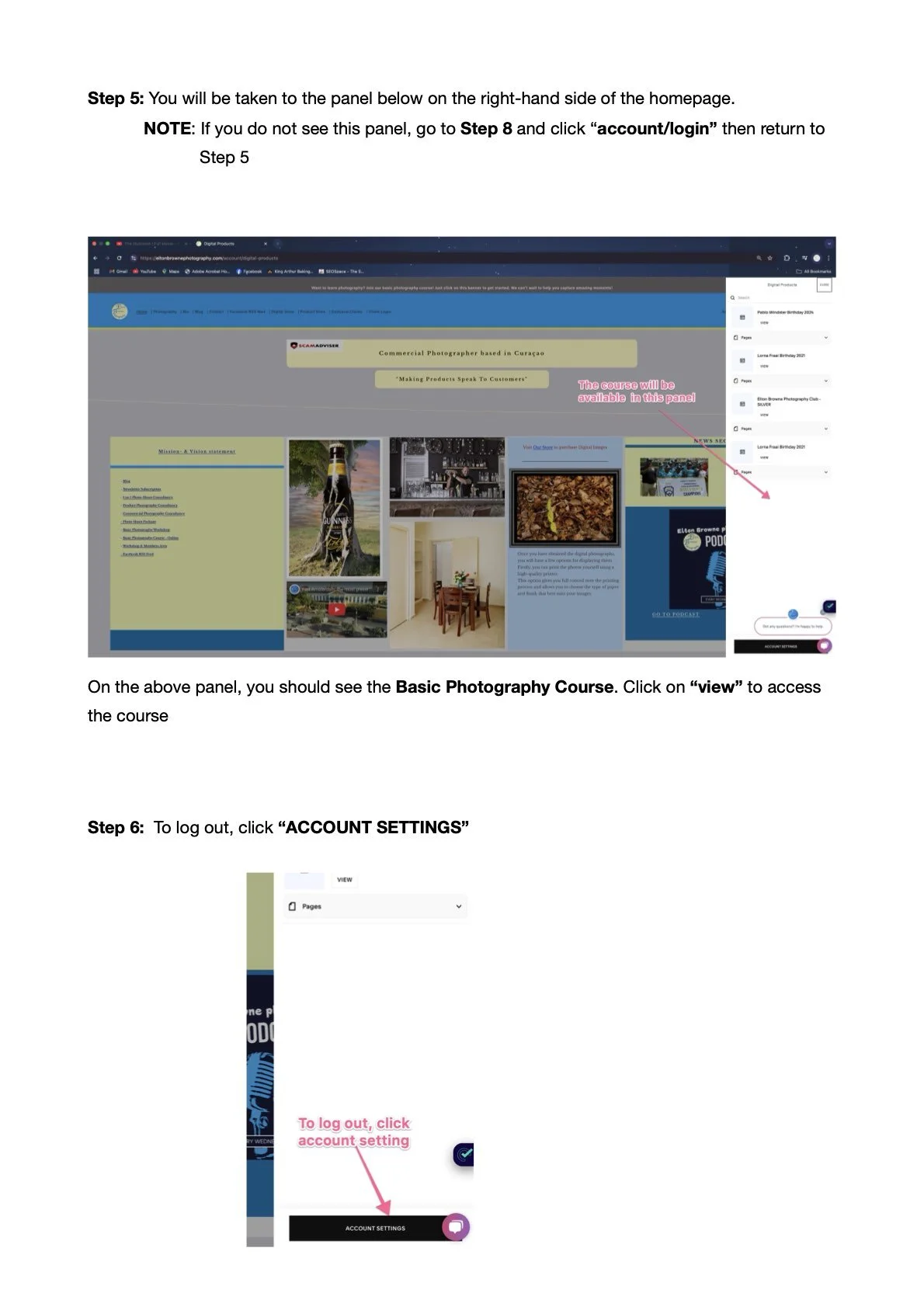
A webpage screenshot with instructions on accessing a photography course. It shows the homepage with a side panel for accessing courses. Step-by-step guidance includes logging in, selecting the Basic Photography Course, and using account settings to log out. The panel highlights where the course is available.
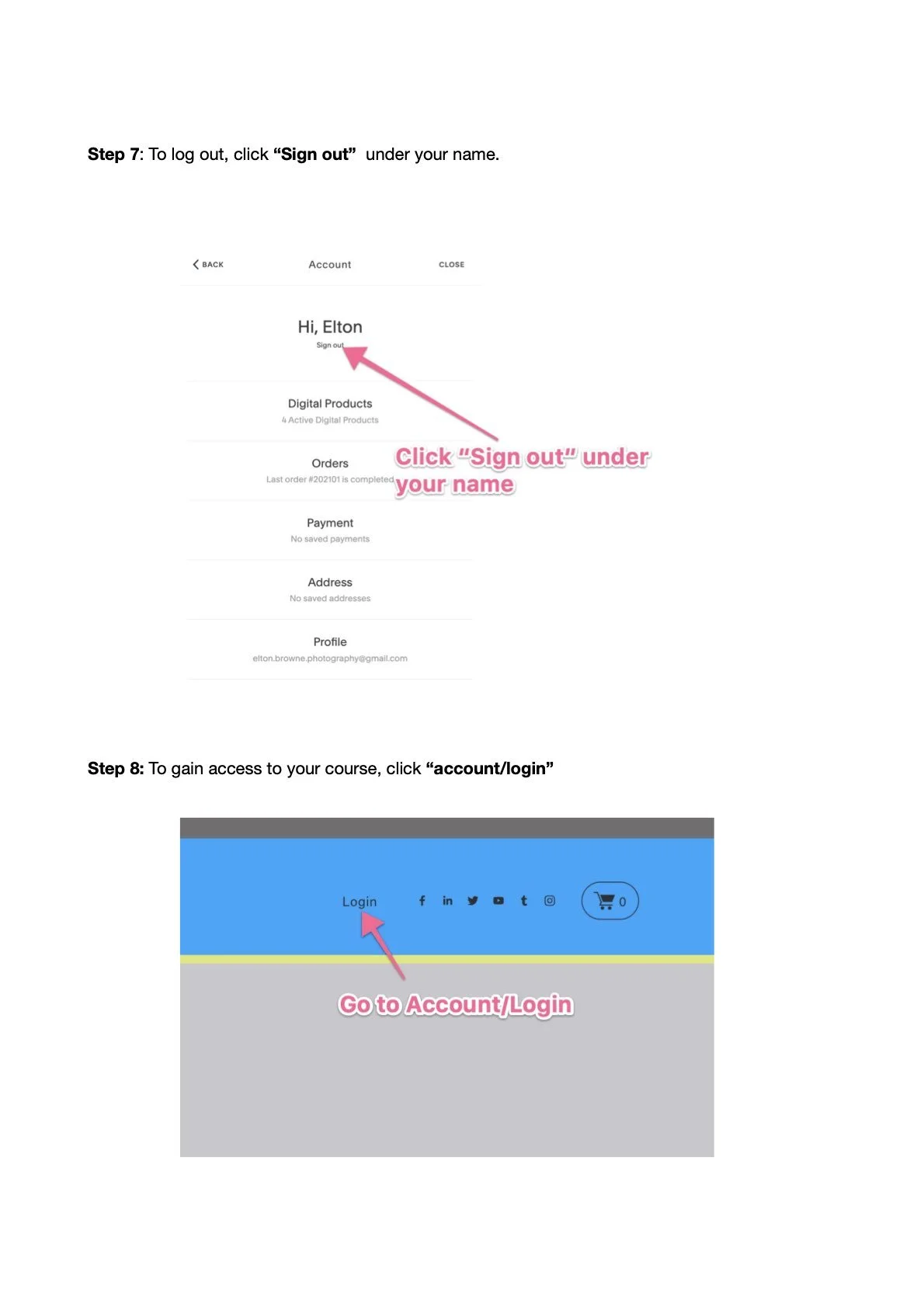
Instructions for logging out and accessing a course. Step 7 shows a screen with a 'Sign out' option under a username, highlighted by a pink arrow. Step 8 shows a 'Login' link on a webpage, also highlighted by a pink arrow, with text indicating it as 'account/login.'"
Foundations Course
$149.00
One time
$52.99
For 3 months

From auto mode to full manual control, at your own pace. Silver members save 5%, Gold members save 10%.


✓ 110+ hours of HD video lessons
✓ Camera, light, exposure & composition, in 14 units
✓ Official certificate of completion
✓ Unlocks Curaçao workshops & the Intermediate Course
✓ 7-day no-questions-asked refund